

Highlights
- Internationalization Support
- Update to User Portal UI
Enhancements
Internationalization Support
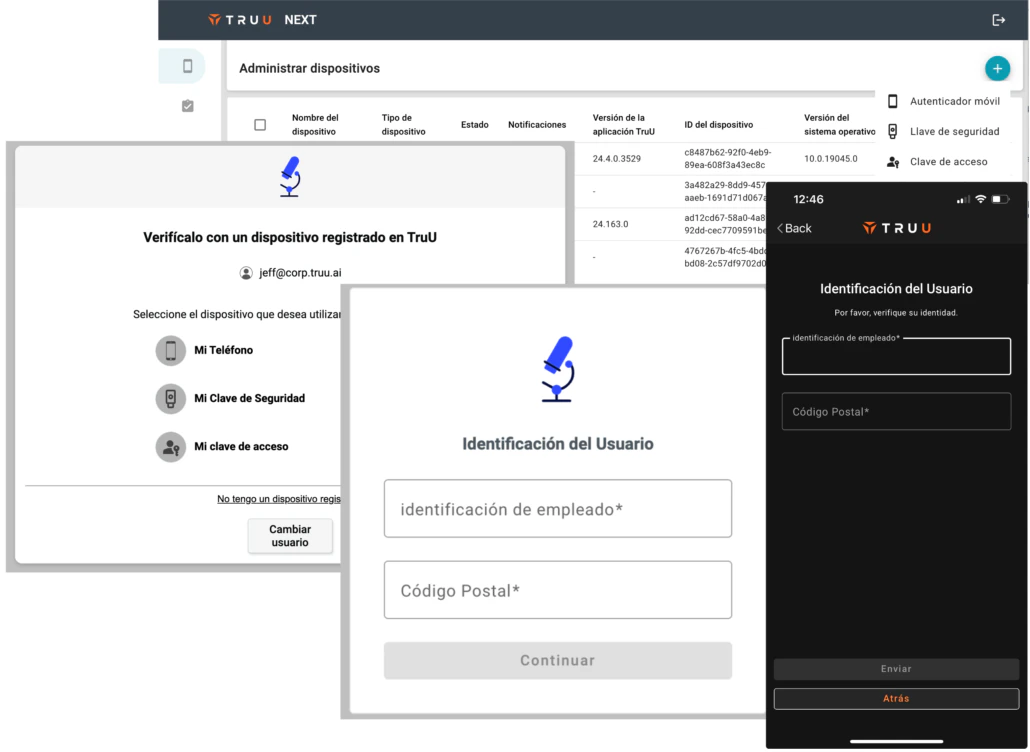
- In the past few months, TruU has added local language support for the client-facing applications (iOS, Android, macOS and Windows). In this release, we have added support for the rest of the user-facing components: the User Portal, SSO pages, and Identity Verification Workflows.
-
These user-facing components will be translated into the supported languages based on the browser and/or OS language settings. Local language support is provided for:
- Chinese
- Chinese (Simplified)
- Czech
- French
- German
- Italian
- Japanese
- Korean
- Portuguese
- Russian
- Spanish
- Swedish
- Turkish
- While Internationalization is supported fully by TruU, there is some user-facing text that is generated by Admins through TruU that requires administrative action to localize. Specifically, Admins may:
- Add Global Attributes from their directory and that content is used in workflows.
- Customize Messages (email and sms sent by TruU) can be customized and may require translations.
- Add SSO Adapters to the environment, the names of these adapters can appear in push notifications sent to mobile devices and may require translations.
- Customize the text link that appears on User Portal sign-in page. If the language has been customized, this will require translations.
- Add Readers to a tenant for physical access. The names of the readers can appear in the mobile apps and may require translations.
- NOTE: while the readers can be localized through the UI, the mobile apps do not yet get the localized reader names from the platform (e.g. they will still appear in English in the mobile app).
Update to User Portal UI
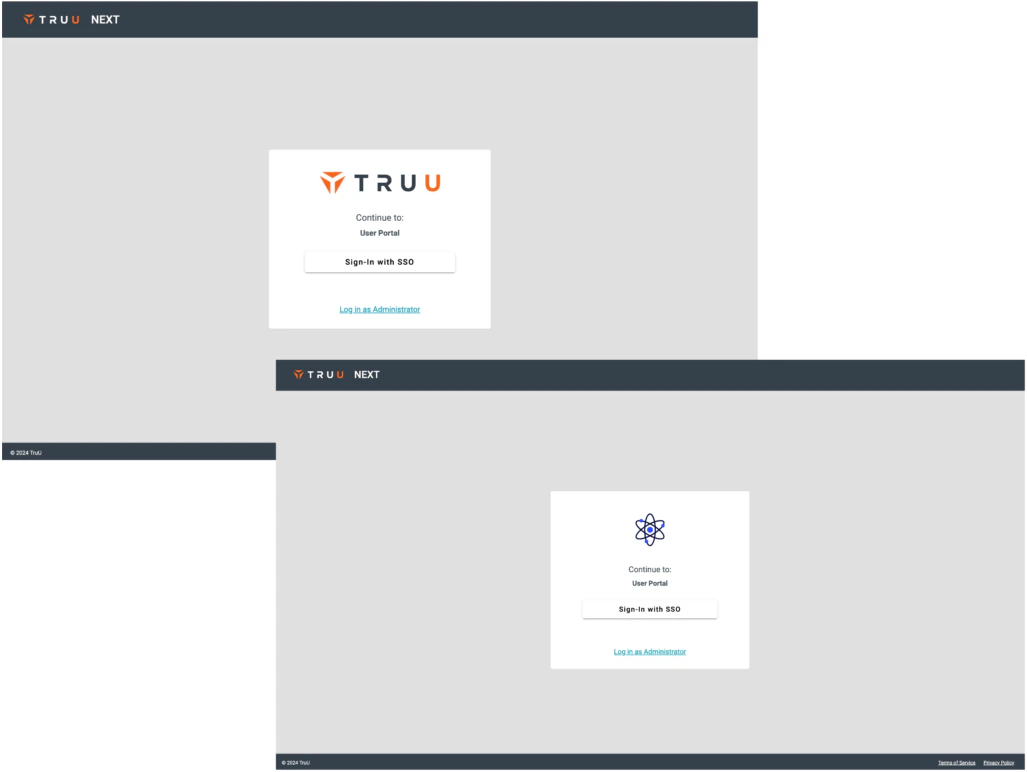
- We have made a minor change to the User Portal UI. The logo (TruU default logo, or a customer-provided logo) now appears inside the white box (rather that above it). We have also removed the “Powered by TruU” if you have added your logo.
Bug Fixes
- We have improved the contrast between the button text and the button colors in HTML email to improve accessibility.
- We have fixed an issue that prevented Android users from receiving an action card to approve login when the trying access an app.
Known Issues
PLAT 24.169 Release Notes PLAT 24.166 Release Notes